Last updated on October 12th, 2026 at 07:42 am
Domotics is the use of connected devices and automation to control lighting, climate, security, and energy in a home. To build a domotics system, plan your wiring and network first, choose one compatible standard, add devices in stages, and test each room before moving on.
If you have ever stood in a house with ten apps for ten gadgets, you know the problem. Smart devices are easy to buy and hard to connect. Domotics solves this by treating the home as one system, not a pile of products.
The idea is no longer niche. About 45% of US internet households own at least one core smart home device, according to Parks Associates data summarized by SQ Magazine.
Yet setup remains the weak point. In 2026, 52% of DIY smart home users report setup or connectivity problems, according to Voxbooster’s smart home statistics roundup, which cites Parks Associates.
That gap is where good planning pays off. In my work on renovations and modular builds, the best smart homes were planned before the walls closed.
This guide walks you through domotics step by step. You will learn what it means, how to choose a system, what to prepare, and which mistakes to avoid.
What Domotics Really Means
The word comes from the Latin domus (home) and informatics. It is common in Europe and Latin America. In English, people usually say “home automation” or “smart home.” The ideas overlap, but domotics stresses integration.
Snippet: Domotics is the integration of sensors, controllers, and connected devices that lets a home manage lighting, heating, security, and energy automatically or by remote control.
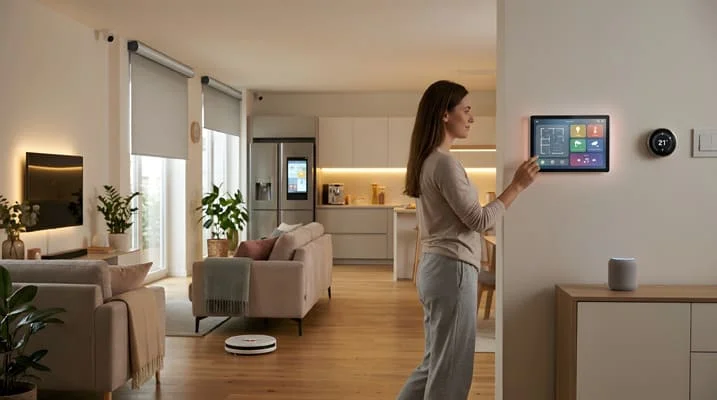
A smart home can be a few smart bulbs. A domotics system links devices so they act together. For example, a door sensor can turn on the hallway light, lower the heating, and arm the alarm when you leave.
Three parts make this work:
- Sensors detect motion, temperature, light, doors, or leaks.
- Controllers make decisions, such as a hub, a wall panel, or an app.
- Actuators carry out the action, such as switches, valves, locks, and motors.
When these parts speak the same language, the house feels simple to use. When they do not, it feels like a hobby project.
Choosing a Domotics System: Wired, Wireless, or Hybrid
Your first big choice is how devices will talk to each other. Each option has trade-offs in cost, reliability, and ease of change.
| Option | How It Connects | Reliability | Best For | Main Drawback |
|---|---|---|---|---|
| Wired (such as KNX) | Dedicated bus cable | Very high | New builds, full renovations | Needs planning and a specialist |
| Matter over Thread/Wi-Fi | Open wireless standard | High and improving | Most homes, mixed brands | Newer ecosystem |
| Zigbee or Z-Wave | Wireless mesh with a hub | High | Retrofits, sensors | Needs a compatible hub |
| Single-brand Wi-Fi | Cloud and app | Variable | Quick starts, small setups | Locked into one brand |
Wired systems such as KNX have long been used in European new builds. They are stable and do not depend on Wi-Fi. For most homeowners, though, wireless is the practical path.
Snippet: Matter is an open smart home standard from the Connectivity Standards Alliance that lets devices from different brands work together. It aims to end the “which ecosystem?” problem.
Matter has grown fast. More than 700 Matter-certified products and 1,000 Thread-certified devices were available in 2026, roughly ten times the 2024 count, according to the Voxbooster roundup citing the Connectivity Standards Alliance.
The standard also keeps expanding. Version 1.6, released in June 2026, extends coverage into appliances and energy, as noted by SQ Magazine.
My advice is simple. Choose Matter-certified devices whenever you can. For a new build, add a wired backbone for critical functions such as lighting and shading.
How to Build a Domotics System Step by Step
Follow this order. Skipping ahead is the most common cause of frustration.
- List your goals. Write down what annoys you today. Examples are cold bedrooms, forgotten lights, or poor security.
- Map each room. Note where you need light, heat, shade, and sensors. Mark where people sit, sleep, and enter.
- Fix your network first. Use a strong router and, where possible, wired network points near key devices. Weak Wi-Fi breaks smart homes.
- Pick one standard. Choose Matter, or a single hub ecosystem, and stay consistent.
- Start with lighting. It is cheap, visible, and easy to test. Add scenes such as “morning” and “movie.”
- Add climate control. A smart thermostat and room sensors give clear comfort and energy gains.
- Add security. Install door and window sensors, a video doorbell, and smart locks if they suit you.
- Connect energy and appliances. Add plug-in meters, leak sensors, and compatible appliances.
- Build simple routines. Start with two or three rules. Add more only after they work.
- Test, then refine. Live with the setup for two weeks. Remove automations that annoy you.
Quick tip: Add one room or one function at a time. A single working room teaches you more than ten half-finished ones. It also makes problems easier to trace.
What Architects Plan Before the Walls Close
This is where design and domotics meet. Hardware is easy to swap. Cables behind plaster are not. When I plan a project, I check these items early.
- Conduits to every key point. Empty tubes let you add cables later without breaking walls.
- Network cabling. Run Ethernet to the router, TV wall, home office, and ceiling points for access points.
- Neutral wire at switches. Many smart switches need a neutral wire in the switch box.
- Power for shades and sensors. Put a socket or low-voltage line near curtain tracks and blinds.
- A central cabinet. A small, ventilated panel keeps the router, hub, and power supplies in one tidy place.
- Switch and sensor placement. Place them with the furniture plan in hand, not before it.
- Space for future devices. Leave spare conduit and wall space for upgrades.
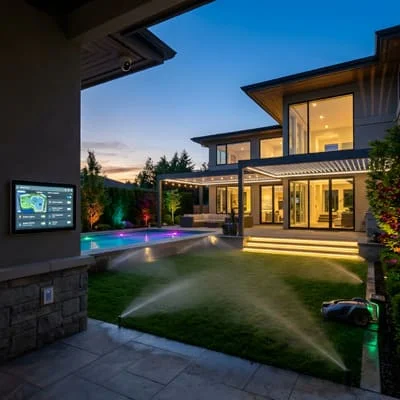
Retrofit homes can still benefit. Battery sensors, plug-in devices, and mesh Wi-Fi reduce the need for new cables. For any work inside the electrical panel or wiring, hire a licensed electrician.
Adoption is also rising in neighboring markets. Smart home use among US and Canadian households rose from 49% in 2024 to 59% in 2025, according to the annual ASHB survey as reported by Maker Stations.
People are moving from single gadgets to whole-home systems. Good design planning makes that move smoother.
Domotics Mistakes to Avoid
A few habits cause most failures. Avoid them and your system will last.
- Buying devices before planning the network, which leads to dropouts and slow responses.
- Mixing too many ecosystems, which creates apps that do not talk to each other.
- Automating everything at once, which makes the home feel unpredictable.
- Ignoring manual control, so guests and family cannot use a plain wall switch.
- Using weak passwords or default settings, which exposes cameras and hubs.
- Skipping updates, since firmware fixes security and compatibility issues.
- Relying on the cloud for critical functions, so a lost connection should never lock you out.
Security deserves a short checklist. Change default passwords. Turn on two-step login for your accounts. Keep devices updated. Put smart gadgets on a separate guest network if your router allows it.
Building a Home That Works for You
Domotics works best when you treat it as part of the architecture, not an add-on. Set clear goals, choose one standard, fix your network, and add features room by room.
Plan conduits, cables, and switch positions before the walls close, and keep a manual option for every key function. Start with lighting this week, and expand once it feels natural. If you have built a smart home, tell me in the comments which step gave you the biggest improvement.

Architect with extensive experience in residential and commercial design, including renovations and modular construction. Love to share information about Architecture, home and lifestyle in this blog.