
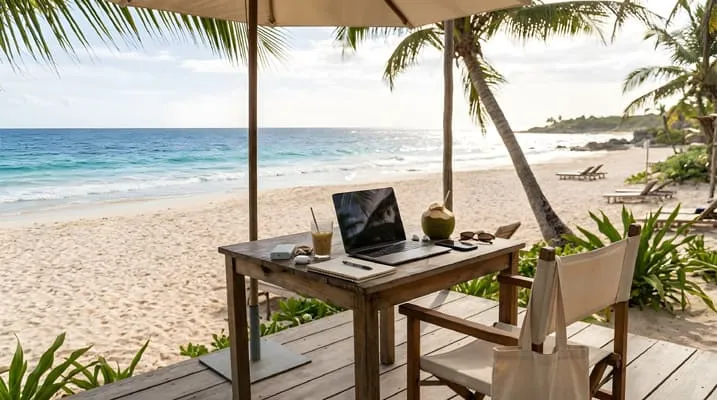
A workation is a trip where you keep working remotely while enjoying a new destination. You follow your normal job duties, but from a different place, usually with more flexibility for leisure. A successful workation needs employer permission, reliable internet, a legal right to stay, and a schedule that protects both work and rest.
You have a laptop, a call at 10 a.m., and an ocean outside the window. It sounds ideal until the Wi-Fi drops mid-meeting, your team sits six hours away, and your manager does not know where you are. A workation can deliver the best of both worlds, but only when you plan the unglamorous parts first.
Interest is growing, and policy has not kept pace. An Opinium survey of 2,000 business travelers in the UK, US, Canada, and Australia found that 34 percent want the flexibility to work from any location, yet only 21 percent say their company has clear guidelines on where employees can and cannot work.
That gap leaves many workers guessing about what is allowed.
I manage projects, budgets, and deadlines, so I treat a workation as a small project with a clear brief. This guide is built on three pillars: permission, place, and pace.
Permission covers your employer, your visa, and your taxes. Place covers the destination, the accommodation, and the connection. Pace covers the daily rhythm that keeps your work solid and your trip enjoyable. Settle all three and a workation becomes a sustainable habit instead of a stressful experiment.
What Is a Workation?
What is a workation? A workation, also called a workcation, is a trip that blends remote work with leisure travel. You keep your regular job and hours, but you work from a different location, often for one to several weeks.
The term combines “work” and “vacation,” but the balance is different from both. On a vacation you stop working. On a workation you keep working and add experiences around the edges.

The habit is already common. An Insure&Go survey of 1,006 Australians found that 43 percent of employees had taken a holiday while working remotely.
It also found a generational gap: 56 percent of those under 50 had taken a workation, compared with 25 percent of those over 50.
The survey was commissioned by a travel insurer, so read it as a snapshot, not a universal measure.
How a Workation Differs From Similar Lifestyles
People often mix up these terms. The table separates them.
| Option | Typical length | Work expectation | Main constraint |
|---|---|---|---|
| Workation | Days to a few weeks | Normal job duties from a new place | Employer permission and visa rules |
| Vacation | Days to weeks | None | Paid leave |
| Business trip | Days | Employer-directed work | Set by the employer |
| Digital nomad life | Months to years | Ongoing remote work while moving | Visas, taxes, long-term logistics |
| Remote work at home | Ongoing | Normal job duties | Few beyond usual rules |
A workation sits in the middle. It is shorter and lighter than nomadic life but needs more planning than a normal trip.
Three Myths About the Workation
The first myth says a workation is a free vacation. It is not. You still owe your employer a full job, so you need working hours, focus, and a decent desk.
The second myth says any Wi-Fi will do. Shared or unstable connections ruin calls and deadlines, so you need to check connectivity before you book.
The third myth says a tourist visa covers remote work. It may not. Rules differ by country, and the next section explains why you should check.
Permission: Employer, Visa, and Tax Basics
Permission is the first pillar because mistakes here are the hardest to undo. A great destination cannot offset a policy violation, a visa problem, or an unexpected tax bill.
Ask Your Employer First
Many workers skip this step. Among Australians in the Insure&Go survey who did not tell their employers about their workation, 35 percent feared they would be refused. The survey’s own advice was that transparency is key, and I agree.
Employers care for good reasons. They manage data security, insurance, payroll, labor rules, and sometimes tax exposure. Presenting a clear plan makes a yes much more likely.
Do you need permission for a workation? In most cases, yes. Check your employment contract and company policy, then ask your manager and HR in writing, including dates, location, and how you will stay reachable.
Architect’s tip: Make your request easy to approve. State your dates, your working hours, the overlap with your team’s core hours, your connectivity backup, and a way to reach you in an emergency.
Visas: Tourist Versus Remote Work
A tourist visa is meant for tourism.
Digital nomad visas usually require proof of income and are country-specific.
Some countries tolerate short-term remote work on a tourist stay, and others do not.
Check the destination government’s official immigration website, not a travel forum, before you book.
Taxes and Your Employer’s Risk
Short trips rarely change your tax position, but you should still check. The same Deel guide notes that tax residency often begins after 183 days in many countries. Short workations of a couple of weeks usually stay below that line, though other triggers exist.
Chartered Accountants Worldwide cautions that your visa is not your tax status. A visitor visa may allow 90 or 183 days, but residency and tax rules work separately. The same source explains that permanent establishment, the point at which a business becomes taxable in another country, is a risk that sits with the employer. A typical remote worker usually does not trigger it, but activities such as having authority to sign contracts can.
This is why HR departments ask questions. It is also why you should not guess.
A Permission Checklist
- Read your contract and company policy. Look for rules on working location and equipment.
- Ask your manager in writing. Include dates, location, and availability.
- Ask HR about tax, payroll, insurance, and data rules. Request answers in writing.
- Check the official visa rules for your destination. Use government sources.
- Check your insurance. Confirm that your health and travel policies cover working abroad and your equipment.
- Keep copies of approvals. Store them where you can reach them offline.
Place: Choose a Destination That Supports Work
Place is the second pillar. A destination that looks beautiful may fail you on a Tuesday morning if the internet is weak or the time zone is awkward.
What to Check Before You Book
| Factor | What to check | Why it matters |
|---|---|---|
| Time zone | Overlap with your team’s core hours | Protects meetings and collaboration |
| Connectivity | Recent speed test, outage history, backup options | Decides whether calls run smoothly |
| Workspace | A real desk, a proper chair, good light | Prevents back pain and fatigue |
| Cost | Lodging, food, coworking, local transport | Keeps the trip sustainable |
| Safety and healthcare | Local conditions and insurance coverage | Reduces risk |
| Travel time | Flights, transfers, and arrival day | Long journeys eat working days |
| Visa rules | Permitted stay and work conditions | Avoids legal problems |
As a rule of thumb, I look for at least three to four hours of overlap with core team hours. Less than that can strain collaboration.

Choose a Setting That Fits Your Work
Different environments suit different tasks.
| Destination type | Strengths | Watch-outs |
|---|---|---|
| City | Strong internet, coworking spaces, transport | Higher costs and noise |
| Beach or island town | Relaxation and outdoor time | Variable connectivity and seasonal prices |
| Mountain or rural area | Quiet and focus | Weaker signal and limited services |
| Smaller coastal or lake town | Balance of calm and amenities | Limited choice of workspaces |
If your job involves frequent video calls, favor reliable connectivity over scenery. If your work is mostly independent focus time, a quieter setting may help.
Design Your Work Zone
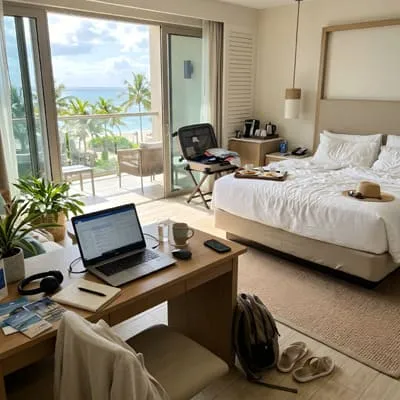
Even a rented studio needs a work zone and a rest zone. In design terms, separating them keeps work from invading your sleep. Place the desk by a window, with your back to the bed if possible, and use a real chair, not the sofa.
When you search for accommodation, ask for photos of the workspace. Ask the host for a recent speed test screenshot, and confirm what happens if the connection fails. A short message before booking prevents most surprises.
Pace: Structure Your Days So Work and Travel Both Win
Pace is the third pillar and the one that decides whether you come home refreshed or exhausted. Without structure, work spreads across the day and you see little of the destination.
Pick a Schedule Model
| Model | How it works | Best for |
|---|---|---|
| Split day | Work in the morning, explore in the afternoon | Teams in a similar time zone |
| Early shift | Start early to finish by early afternoon | Destinations far ahead of your team |
| Work weekdays, explore weekends | Normal hours, with weekend trips | People with fixed meeting schedules |
| Work-heavy week, rest week | Intense week followed by lighter days | Project-based work |
Pick one model and tell your team. Clear hours help colleagues know when to reach you.
Protect Focus and Rest
Put your most demanding work in your most alert hours and schedule meetings in the overlap window. Treat leisure plans like meetings. If you do not schedule the walk, the beach, or the market, work will fill the space.
Take at least one full day off each week. The break protects your energy and gives the trip its meaning.
Give the Trip Enough Time
Arrival days cost energy, and the first day often goes to settling in. For this reason, I suggest staying at least a week, because a trip that is too short spends much of its time on travel. Slower trips also reduce the cost and strain of constant movement.
A Simple Example
Picture a designer working from a coastal town for two weeks. Her team overlaps with her mornings, so she works from 8 a.m. to 1 p.m., with calls clustered between 9 and 11. She walks to the beach at 2 p.m., cooks dinner, and keeps weekends free. By the second week she has found a rhythm and a favorite café. Nothing about the plan is dramatic, which is exactly why it works.
Setup: Tools, Security, and Connectivity
A reliable setup protects your work and your peace of mind. Pack for the worst day, not the average one.
What to Pack
- A laptop stand and a portable keyboard and mouse for better posture
- Noise-cancelling headphones for calls and focus
- A universal power adapter and a small power strip for several devices
- A portable battery for outages and travel days
- A backup internet option, such as an eSIM or local SIM for phone hotspot use
- Offline copies of key documents in case you lose access
Connectivity Options Compared
| Option | Strength | Weakness |
|---|---|---|
| Accommodation Wi-Fi | Convenient | Variable and often shared |
| Phone hotspot (local SIM or eSIM) | Independent backup | Data caps and coverage gaps |
| Coworking space | Reliable and social | Cost and opening hours |
| Café | Atmosphere | Noise and weaker security for confidential work |
Keep at least one backup ready before an important meeting. Do not rely on a single connection.
Protect Your Data
Follow your employer’s security rules, which may require a VPN. Turn on device encryption and a screen lock, use multi-factor authentication, and avoid public Wi-Fi for sensitive work. Keep your laptop with you rather than leaving it in a room or café.
Architect’s tip: Test your whole setup the day before your first working day. Join a video call from your desk, check the speed, and try your backup connection. Finding a problem early is cheap.
Plan Your First Workation Step by Step
You do not need a perfect plan, only a clear sequence. The steps below keep the process manageable.
- Choose a low-stakes period. Avoid major deadlines and important launches for your first attempt.
- Get permission. Follow the checklist above and keep the answers in writing.
- Select a destination. Use the criteria in the table and check the visa rules.
- Book a place with a verified workspace. Prefer flexible cancellation terms.
- Prepare your setup and backups. Pack the essentials and test your connection plan.
- Tell your team your availability. Share your hours and a way to reach you.
- Start with a short trial. Try a long weekend within a few hours of home before a long trip.
- Review afterward. Note what worked and what did not, then adjust.
Build a Realistic Budget
A workation can cost more than staying at home, because you pay for lodging and travel on top of normal expenses. Plan your budget by category.
| Category | What to include | Tip |
|---|---|---|
| Lodging | Nightly rate, cleaning and service fees | Longer stays often reduce nightly costs |
| Transport | Flights, transfers, local transit | Add travel days to your schedule |
| Connectivity and workspace | SIM or eSIM, coworking day passes | Budget for a backup |
| Food | Groceries and meals out | A kitchen lowers daily costs |
| Insurance and visa | Travel and health cover, visa fees | Confirm work is covered |
| Buffer | Unexpected costs | Many planners add about 10 to 15 percent |
The buffer figure is a common planning rule of thumb, not a standard. Adjust it to your comfort level.
Workation, Done Well
A workation works best when you plan the three pillars together. Permission keeps your job, your visa, and your taxes in order. Place gives you a destination with reliable connectivity and a proper workspace. Pace gives you a rhythm that protects focus and leaves room for rest.
Start small. Ask your manager, choose a destination within easy reach, and test your setup before you leave. After one short trip you will know whether a longer workation suits your life.
Have you tried working from somewhere new? Share what worked in the comments, and explore more lifestyle guides on the blog for ideas on travel, routines, and designing a life that fits you.
Important Notice
Finance: The information presented here is for educational purposes only and does not constitute investment advice. Consult a licensed financial professional before making any financial decisions.
Legal: This article is for informational purposes only and is not a substitute for specialized legal advice. Consult an attorney for guidance specific to your case. Visa, tax, and employment rules vary by country and personal situation, so confirm requirements with official sources and qualified professionals before you travel.

Architect with extensive experience in residential and commercial design, including renovations and modular construction. Love to share information about Architecture, home and lifestyle in this blog.